Wiki Currently Under Major Revision
This is not perfect documentation. This is a shared space for us to keep the most helpful and accurate things each of us knows or learns about our tools. We need your help! If you are willing to share what you learn with others, please request editor access in the mfx-wiki channel on slack. No special skills or experience required.
Laser Audrey
To make a reservation: Audrey Laser Reservation Link
REMEMBER To Reserve Time!
Various tools such as the lasers, 3D Printers, and Forest CNC need to be reserved before using the tool. There is a link on each tool's wiki page, and in each tool's Slack channel to reserve time, or you can select the tool from the MakerFX PickTime page
Note: As of March 2025, we are implementing PickTime tool by tool - review the Slack channel for each tool for current status.
WARNING!
DO NOT cut unknown materials in the laser. Read below for a good list of materials that can be used safely in the laser.
DO NOT hit Stop and then immediately reset, it will lock the laser and require a reboot.
DO NOT CUT PVC, ANYTHING WITH VINYL, OR UNKNOWN PLASTICS OR FILMS

Point Of Contact TBD on Slack or by e-mail at TBD@TBD.com
For laser help, message or tag @laserhelp in the Slack mfx-laser-audrey
|
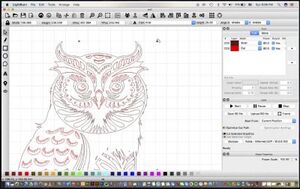
Step 1: Design
|
Step 2: Print To Laser
|
Step 3: Use the Laser
|
 |
||